
Zoom link for camera test on your mobile phone or tablet (scan the QR code below)
Completion requirements
 |
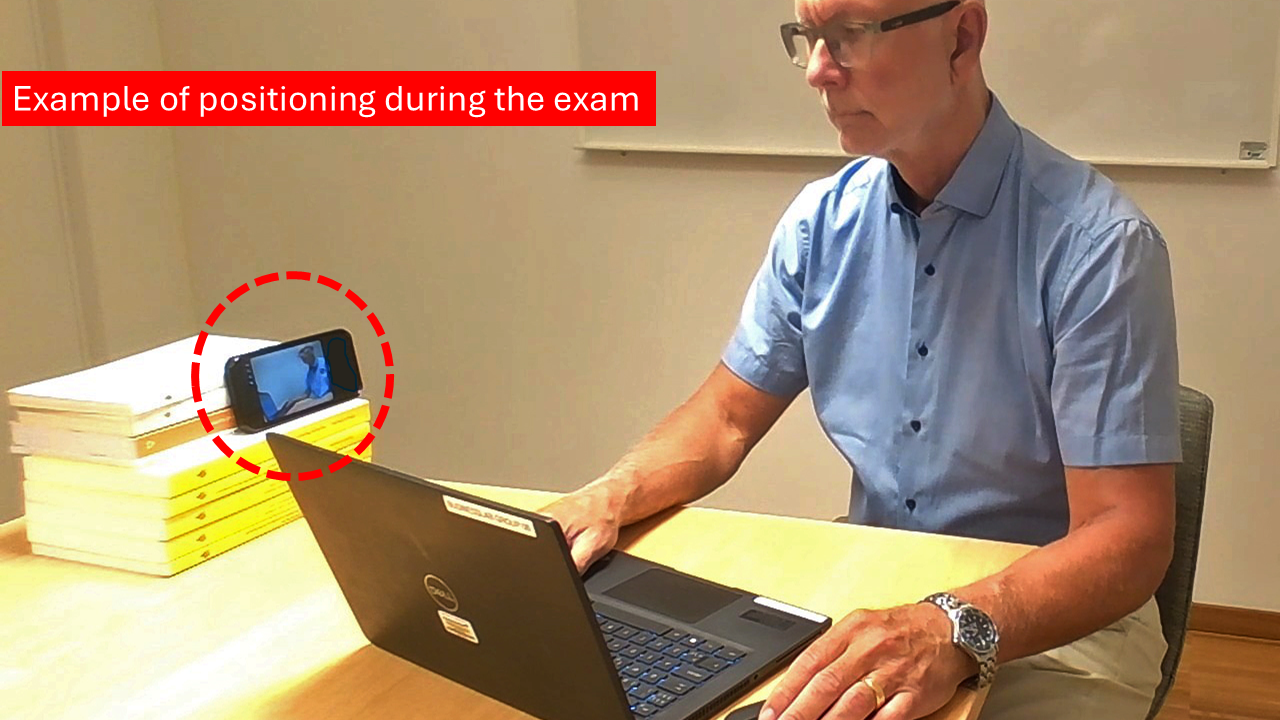 |
Position the mobile phone/tablet so that your face, hands and the computer screen are visible in Zoom. See the example image above.
Note! Before the start och the exam, you will also be asked to show your ID card and your computer screen to the exam supervisor before you begin the exam.
Schedule
| Recurring meeting | The meeting does not have an end date or time |
|---|---|
| Host | Christoph Tiedtke |
Security
| Passcode Protected | Yes |
|---|---|
| Passcode | 696959 |
| Waiting room | No |
| Join meeting before host | Yes |
| Require authentication to join | No |
Media
| Start video when host joins | Yes |
|---|---|
| Start video when participant joins | Yes |
| Audio options | Computer audio and Telephone |
| Mute participants upon entry | No |